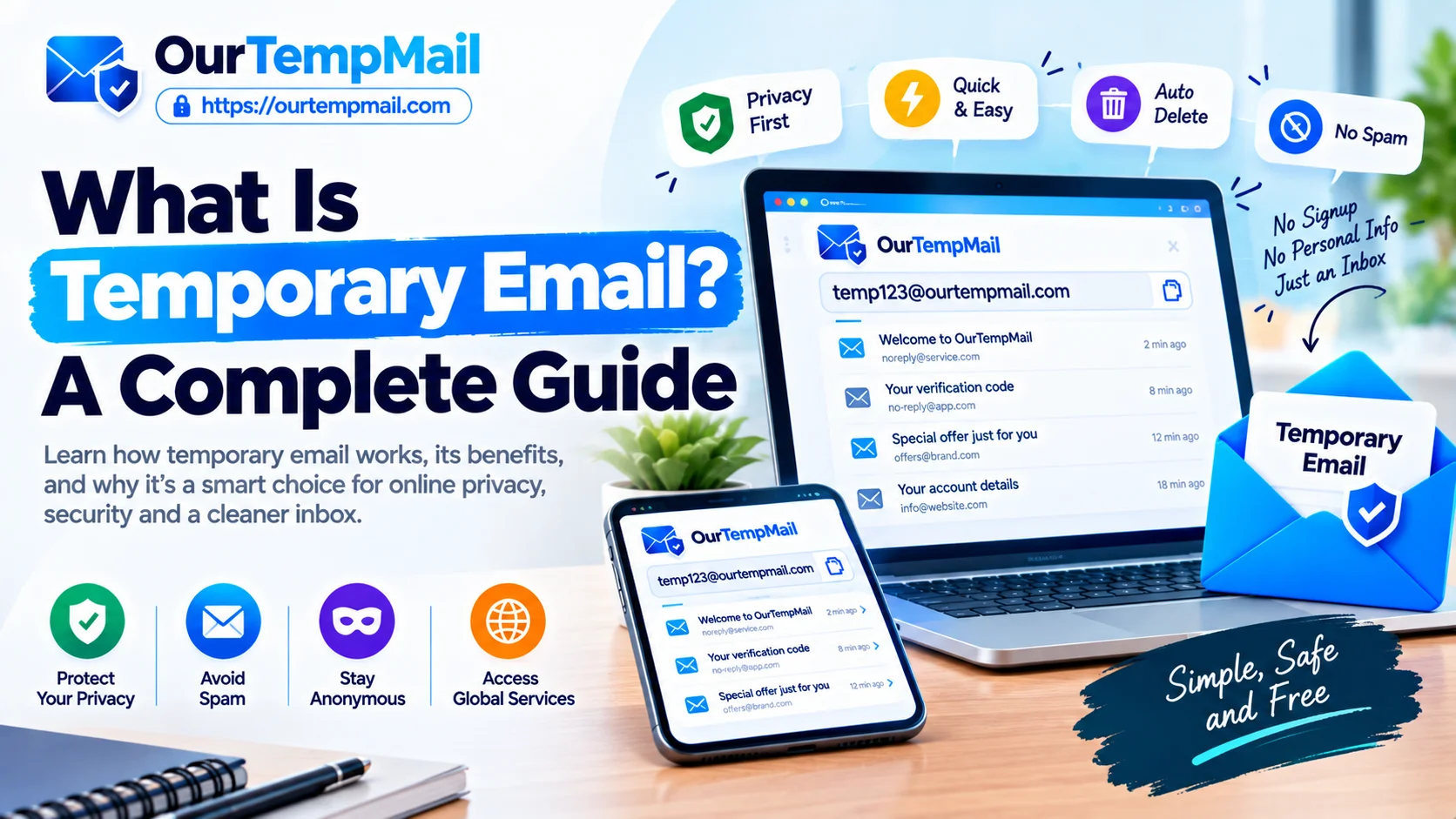
What Is Temporary Email? A Complete Guide
Every day, millions of people hand over their real email address to websites that ask for it during sign-up, checkout, and registration. Most do it automatically, without thinking about what follows. Within days the promotional emails start. Within weeks the inbox becomes difficult to manage. Within months the address is in databases you never agreed to and marketing sequences you cannot fully stop.
Temporary email exists because of this problem. It is one of the most useful privacy tools available to everyday internet users and one of the least complicated to use. You do not need technical knowledge, a paid subscription, or any setup process. You visit a temp mail service, copy the address that is already waiting for you, and use it wherever you need. When you are done, the inbox disappears.
This guide covers everything you need to know about temporary email — what it is, how it works, who uses it, how to use it properly, and every important question that comes up around safety, privacy, duration, and practical application. By the end you will know exactly when to use a disposable email address and how to get the most out of it.
Generate a Free Temporary Email Instantly on ourtempmail.com
How Does Temp Mail Work?
Understanding how temp mail works helps you use it with confidence. The process is simpler than most people expect and the technology behind it is the same standard email infrastructure that powers every inbox on the internet.
Address Generation
When you open a temp mail service like Our Temp Mail, the system automatically creates a unique email address for your session from a pool of available domains. The address appears on the page immediately, formatted exactly like any standard email address. You did not request a specific one, fill in any form, or go through any verification process. It is simply there and ready to use.
How Incoming Emails Are Delivered
When a platform sends an email to your temporary email address, that message travels through standard email infrastructure to the temp mail service's mail server. The server receives it and places it in the inbox associated with your active session. The delivery process is identical to how any regular email reaches any regular inbox. The only difference is what happens afterward.
Real-Time Inbox Updates
Our Temp Mail displays incoming messages in real time. You do not need to refresh the page or wait. The moment a verification code or confirmation link arrives, it appears in your temporary mailbox immediately. This is important when you are waiting for a timed OTP or a session-limited confirmation link.
What Happens When the Session Ends
When you close the tab or the session times out after inactivity, the inbox is cleared permanently. All messages are deleted from the server. The address format still technically exists but the inbox behind it is gone. Any emails sent to it afterward go nowhere. Nothing is archived, backed up, or recoverable after deletion.
Why Some Platforms Block Temp Mail Domains
Some platforms maintain block lists of known disposable email domains to discourage temporary address use during sign-up. Our Temp Mail provides multiple domain options for exactly this reason. If one domain is rejected, switching to another takes seconds and most platforms accept at least one of the available options.
How to Use Temporary Email
Using temporary email requires no technical knowledge and no setup. The process is the same every time and takes under a minute from start to finish.
Step 1: Open Our Temp Mail
Visit ourtempmail.com in your browser. Your free temp mail address is generated automatically and displayed on the page before you do anything. No account creation, no form to fill, no personal information required.
Step 2: Copy Your Address
Copy the disposable email address shown on the page. It looks exactly like a standard email and will pass validation on any website. You can also customize the username if you prefer something specific over the auto-generated version, or switch domains if you need a different one.
Step 3: Use It on Any Platform
Paste the address into the email field on any sign-up form, checkout page, or registration screen. Complete the form as normal and submit. The platform sends its verification or confirmation email to your temp mail address.
Step 4: Check Your Inbox
Switch back to the Our Temp Mail tab. The verification email, OTP code, or confirmation link appears in your inbox within seconds. No refresh needed. Click the link or copy the code and complete whatever you were doing on the platform.
Step 5: Close and Move On
Once you have what you need, close the Our Temp Mail tab. The inbox clears automatically. Every promotional campaign the platform planned to send you launches against an address that no longer exists.
Tips to Get the Most From Temp Mail
Keep the tab open until you have finished the registration process and collected everything you need. Copy any important codes or links before closing. If the first domain is rejected, switch domains and try again. For accounts you might return to, note your login credentials before the inbox disappears because password recovery to a temp mail address will not work after the session ends.
Temporary Email for Online Shopping
Online stores treat your email address as one of their most valuable assets. A temporary email for online shopping protects your real inbox from the promotional sequences that follow almost every retail interaction.
Why Retailers Collect Your Email So Aggressively
Email marketing is one of the highest return-on-investment channels for e-commerce businesses. Your address gets added to segmented lists, used for abandoned cart campaigns, included in seasonal promotions, shared with advertising partners, and used for retargeting on social platforms. A single checkout creates a data connection that retailers intend to use for years.
What Follows After You Shop
The welcome email arrives first. Then the review request. Then related product recommendations. Then the weekly newsletter. Then re-engagement campaigns when you stop opening emails. Then promotional content from partner brands. The sequence is automated, persistent, and difficult to fully stop once started.
How Temp Mail Stops Retail Spam
When you use a disposable email at checkout, the store receives an address that fulfills the form requirement. Your order confirmation arrives in your temp inbox. You get what you need. The marketing sequence launches against an address that no longer exists and every promotional email in the chain goes nowhere.
Claiming Discounts Without the Commitment
Most online stores offer a first-order discount in exchange for your email. Using a burner email for free trials and first-order offers means you get the discount you came for without becoming a permanent entry on that store's marketing list.
When to Use Your Real Email for Shopping
If you are a regular, loyal customer of a store and you genuinely want their newsletters and sale alerts, use your real email. For any store you are trying for the first time or buying from once, a temp mail address is the smarter choice.
Temp Mail for Students
Students sign up for more platforms per year than almost any other group. Academic databases, study tools, research platforms, resource libraries, online courses, and community sites all ask for an email before giving access. The inbox clutter that builds up across a single semester can be significant.
The Student Inbox Problem
Every platform a student registers on adds their email to a marketing list. The newsletters, platform updates, re-engagement emails, and promotional content accumulate quickly. A university inbox that should be reserved for communication with lecturers and institutions ends up shared with dozens of third-party platforms that have nothing to do with actual academic work.
Platforms Students Can Use Temp Mail For
Research paper databases like Academia.edu and ResearchGate. Free e-book and PDF libraries. Online learning tools and course platforms. Study note sharing communities. Past paper websites. Software trial accounts for tools used in assignments. Every platform asking for an email before access is a candidate for a disposable email approach.
Step by Step for Students
Open ourtempmail.com in a new tab. Copy the free temp mail address. Go to the academic platform, enter the address, complete registration. Check the temp inbox for verification. Confirm. Download the material or access the resource. Close the tab.
What to Keep Your Real Email For
Your university email belongs on your institution's official systems, course management platforms, academic journals your institution subscribes to, internship and job applications, and anything tied to your student identity or academic record. For everything else, a temporary email is the right choice.
The Long-Term Benefit
Students who use temp mail throughout their studies graduate with a cleaner professional inbox. Their real email address has not been scattered across dozens of third-party platforms, which means less spam, less data exposure, and a more manageable inbox for professional life ahead.
Temporary Email for Privacy
Your email address reveals more about you than most people realize. A temporary email for privacy limits this exposure at the point where it matters most — before your real address ever enters a platform's database.
What Your Email Address Reveals About You
Beyond being a contact point, your email is used as a cross-platform matching key. It is hashed and compared against advertising databases. It connects your social media profiles to your purchase history. It ties your browsing behavior across different services into a unified profile used for targeting. This process runs silently in the background from the moment any platform receives your address.
The Privacy Risks of Sharing Your Real Email
Data breaches expose email addresses stored in platform databases. Data brokers buy and trade those addresses across networks. Your address from one breach appears in phishing lists and spam campaigns used by entirely different organizations. The more platforms hold your real email, the greater your exposure when any one of them is compromised.
How Temporary Email Protects Your Identity
When you use a throwaway email for a sign-up, the address entering the database is temporary and disconnected from your real identity. The cross-platform matching fails. The data broker trade includes a dead address. The breach exposes nothing that connects to your real email, your name, or your other accounts. Your real identity stays protected because it was never involved in the first place.
What Temporary Email Cannot Do
Temp mail does not protect your IP address, your browsing behavior, or personal information you enter into forms beyond the email field. It is a specific tool for a specific type of privacy protection. For comprehensive online privacy it works alongside other tools rather than replacing them entirely.
Temp Mail vs Gmail
Temp mail and Gmail are not competing tools. They are designed for completely different purposes. The comparison matters primarily so you know which one to reach for in any given situation.
What Gmail Is Built For
Gmail is a permanent, full-featured email service built for ongoing communication. It stores your email history, supports sending and receiving, integrates with Google's productivity suite, and is tied to your Google account and real identity. It is designed to serve you for years across all the accounts and relationships that matter in your daily life.
What Temp Mail Is Built For
A temporary email service is built for the opposite. Short-term, anonymous, disposable use. You need an address for a sign-up, you do not want that sign-up to create a long-term marketing relationship, and you do not need the inbox to last beyond the task at hand.
The Key Differences
Privacy: Gmail is tied to your Google identity. Temp mail is anonymous with no account attached.
Setup: Gmail requires account creation. A free temp mail address is ready instantly at ourtempmail.com.
Lifespan: Gmail is permanent. A temporary mailbox lasts for your session.
Sending: Gmail sends and receives. Temp mail receives only.
Cost: Both are free. Our Temp Mail has no paid tier at all.
When to Use Temp Mail Instead of Gmail
Any time you are signing up for something you are not fully committed to. Free trials, one-time downloads, unfamiliar platforms, forum registrations, online shopping from a new store, and social media accounts you are exploring are all situations where a gmail temp mail alternative is the smarter choice.
Using Both Together
The practical approach is to use both deliberately. Gmail for permanent accounts that matter. Temp mail for everything else. This combination keeps your Gmail inbox focused and your real identity protected from platforms that do not need it.
Temp Mail vs Proton Mail
Both temp mail and Proton Mail are privacy tools. Both protect you from different types of email-related exposure. Knowing which to use depends on what kind of privacy protection your specific situation calls for.
What Proton Mail Is
Proton Mail is an encrypted, permanent email service. It is designed for users who need secure, long-term email communication where the content of messages must remain private. Journalists, activists, business users handling sensitive information, and privacy-focused individuals who need a permanent encrypted inbox are Proton Mail's core users.
How They Approach Privacy Differently
Proton Mail protects the content of your communications through end-to-end encryption. Temporary email protects your identity by removing any connection between you and the address used for a sign-up. These are different kinds of privacy for different needs.
Side by Side
Anonymity: Proton Mail knows who you are. Temp mail knows nothing about you.
Duration: Proton Mail is permanent. A disposable email exists only for your session.
Sending: Proton Mail sends encrypted emails. Temp mail receives only.
Cost: Proton Mail has limits on its free tier. Our Temp Mail is entirely free.
When to Use Each
Use Proton Mail when you need secure ongoing communication and a permanent private inbox. Use temp mail when you are signing up for something and want no trace of your identity left in that platform's database. Many privacy-conscious users use both together — Proton Mail as their permanent private email and Our Temp Mail for every one-time registration.
How Long Does Temporary Email Last?
The lifespan of a temporary email address depends on the service and how you use it. On Our Temp Mail the inbox is session-based, which means it lasts as long as you need it during active use and clears automatically when you are done.
During Your Active Session
As long as the Our Temp Mail tab is open and you are actively using it, the temp mail address remains functional. It continues to receive emails, OTP codes, and verification links in real time. There is no countdown timer running while you are working with it.
When the Session Ends
When you close the tab or the session times out from inactivity, the inbox is permanently cleared. All messages are deleted from the server immediately. The address format still exists but the inbox behind it is gone. Emails sent to it afterward are not received by anyone.
Can You Extend the Session?
The simplest way to keep your session active is to stay on the page. Keep the tab open while you complete whatever registration or verification you needed the address for. If you need more time with the same address, do not close the tab until you are finished.
What to Do Before the Session Expires
Copy any verification codes or confirmation links from the inbox before closing the tab. If you created an account on a platform using a disposable email, write down your username and password before the inbox disappears. Once the session ends you cannot receive a password reset to that address.
When You Need a Longer-Lasting Address
If your situation requires inbox access over days or weeks rather than a single session, a temporary email service is not the right tool. A permanent private email service is more appropriate for long-term anonymous or secure communication needs.
Are Temporary Emails Safe?
Safety is the most reasonable thing to ask about before using any online tool. The answer for temporary email is yes, with a clear understanding of what the tool is designed for and what it is not.
What Makes Temp Mail Safe
Our Temp Mail does not require an account, does not store personal information, and does not log sessions. There is no profile to hack, no stored password to expose, and no personal data sitting on a server waiting to be breached. The privacy protection starts from the moment you arrive because there is nothing about you in the system.
Is Your Data Stored?
Emails received during your session are deleted permanently when the session ends. There is no archive, no backup, and no log of what was received. The temporary mailbox is cleared completely.
Can Someone Else Access Your Inbox?
Your temp mail inbox is tied to your active browser session. Another user accessing the same address simultaneously is extremely unlikely but theoretically possible. This is one reason temp mail should not be used for anything sensitive or confidential. It is designed for low-stakes, short-term sign-up use where inbox contents are not private communications.
Is It Safe for Verification Codes?
Yes. Receiving an OTP or verification link through a disposable email address carries no elevated risk compared to any other inbox. The code arrives, you use it, the inbox clears. This is exactly the use case temp mail was built for.
What Temp Mail Should Not Be Used For
Banking, healthcare, legal services, government platforms, and any account where financial or personal safety depends on reliable email access all require a permanent email address. The temporary nature of the inbox is a feature for low-stakes use and a significant liability for high-stakes accounts.
Can You Receive Verification Codes with Temp Mail?
Yes. Receiving verification codes, OTP messages, and email confirmation links is one of the core things temp mail was designed for. It works reliably and it works fast.
How Verification Emails Are Delivered
When a platform sends a verification email to your temp mail address, that email travels through standard email infrastructure and lands in your temporary inbox within seconds. The delivery process is identical to how verification emails reach any regular inbox. Our Temp Mail updates the inbox in real time so the code appears the moment it arrives.
Types of Verification Temp Mail Receives
Email address confirmation links. One-time password codes. Two-step verification messages. Account activation links. Download confirmation emails. Any email a platform sends as part of a standard verification or sign-up flow will be received by your temporary mailbox just as it would by a permanent inbox.
What to Do If a Verification Email Does Not Arrive
Wait thirty seconds and check again. Use the resend option on the platform. If the platform rejected the address before sending, switch to a different domain from the Our Temp Mail options and restart the registration. Most platforms accept at least one of the available domains.
When Temp Mail Cannot Be Used for Verification
Some platforms block disposable email domains and will not send verification emails to them at all. Switching domains resolves this in most cases. A small number of platforms require phone number verification in addition to email, which is a separate requirement that temp mail does not address.
Best Uses of Disposable Email
A disposable email address is more versatile than most people realize when they first discover it. Here are the situations where it makes the biggest practical difference.
One-Time Registrations
Any time you need to register somewhere once and have no intention of returning, a throwaway email is the right choice. Article paywalls, one-time downloads, tools you are checking out once, and platforms you found through a link and will probably never return to are all ideal candidates.
Free Trials
Free trials come with automated follow-up sequences. The moment a trial starts, conversion emails, reminder sequences, and discount offers are scheduled. A burner email for free trials means you experience the product honestly without the weeks of sales emails that follow when the trial ends.
Online Shopping Discounts
First-order discounts and flash sale access almost always require an email. A fake email generator approach gets you the discount for this purchase without creating a permanent marketing subscription to the store.
Gated Content and Downloads
Research papers, e-books, industry reports, and downloadable guides sit behind email registration forms. A temp mail address gets you through the gate, delivers the download link, and disappears before the platform can build a marketing relationship around the access you used.
Developer and App Testing
Testing sign-up flows, email delivery, and verification systems requires working email addresses that actually receive messages. A temporary email service lets developers generate unlimited test addresses instantly without cluttering real inboxes or mixing test data with production systems.
Forum and Community Access
Online communities send notification emails, weekly digests, and promotional content. Registering with a disposable email lets you participate without adding the community's email system to your real inbox.
Social Media Exploration
Trying a new social platform to see what it is about is a situation where a temporary email makes perfect sense. If you decide to stay and use it seriously, you can update to a real email later. If you decide to leave, the platform never had your real contact information.
Temporary Email Without Phone Number
Getting a temporary email without a phone number is one of the simplest privacy decisions you can make online. Our Temp Mail requires nothing from you at all. No phone number, no name, no account creation, and no personal information of any kind.
Why Websites Ask for Phone Numbers
Phone numbers are requested to add a verification layer and reduce fake accounts. But for users, a phone number is a much larger privacy commitment than an email address. It is directly tied to your real identity and opens the door to SMS marketing alongside email campaigns.
What Our Temp Mail Requires
Nothing. Open the website, see the address, copy it. There is no phone number field, no SMS verification, and no identity check of any kind in the Our Temp Mail experience. The service is anonymous by design because anonymity is the purpose.
Platforms Where Email Is Enough
The majority of websites and apps that require registration ask for email only. Social platforms, forums, content sites, e-commerce stores, software tools, and academic databases typically verify by email without a phone number requirement. A free temp mail address without a phone number covers all of these situations cleanly.
When a Platform Asks for Both
When a platform requires both email and phone verification, the temp mail address handles the email part of the requirement. The phone verification is a separate requirement that needs its own approach if you also want to avoid providing your real number.
The Combined Privacy Benefit
When you register on a platform with neither your real email nor your real phone number, the platform has no working contact information for you. Its follow-up sequences, its retargeting systems, and its data sharing activities have nothing functional to work with. The registration happened but the identity behind it is entirely anonymous.
Temporary Business Email
Setting up a proper business email involves buying a domain, configuring DNS records, and paying for email hosting. That infrastructure makes sense for a permanent business. A temporary business email is the right tool when you need a professional-format address for a short-term purpose without that overhead.
What a Temporary Business Email Is
A temp business email is a free, disposable address that functions like a professional inbox for short-term use. It receives emails in real time, works on any platform that requires a business-format email during registration, and disappears when your session ends. No domain purchase and no hosting plan required.
Who Needs One
Freelancers registering on client platforms without mixing every client tool into a permanent professional inbox. Developers testing business application email flows with properly formatted addresses that look real. Startups evaluating dozens of tools before choosing their actual stack without their founder's inbox collecting marketing from every trial. Small business owners exploring new platforms before committing their primary business email to the platform's system.
How to Get a Professional-Looking Temp Email
Visit ourtempmail.com and use the customization option to set a professional-looking username for your disposable business email. Select a domain from the available options that fits your professional context. The result is a credible-looking email address that works on any business platform.
What It Can and Cannot Do
A temporary business email can handle registrations, receive verification emails, and function as a credible professional address for short-term purposes. It cannot send emails, cannot be used for ongoing business communication, and should not be used for any account where long-term access or recovery matters.
How to Avoid Spam with Temp Mail
Spam does not start as spam. It starts as a welcome email from a platform you signed up to last month. Then a newsletter. Then a promotional campaign. Then content from partners you never interacted with because your address was shared. Using temp mail to avoid spam stops this chain before the first link is formed.
Why Spam Is Hard to Stop Once It Starts
Every time you give your real email to a website, that address enters a marketing system. It gets added to lists, segmented by behavior, and used for campaigns that run indefinitely. Unsubscribing helps sometimes but often removes you from one list while others remain active. The platform's partner network and any data brokers who received your address still have it. Spam from a single sign-up can follow you for years.
Why Unsubscribing Is Not Enough
Legitimate platforms honor unsubscribe requests properly. But some re-add addresses after a period. Others have multiple lists. And on some systems, clicking unsubscribe confirms that your address is active and being monitored, which can make it more valuable for further use rather than less.
How Temp Mail Stops Spam at the Source
When you use a disposable email for a sign-up, the marketing sequence that would normally follow is launched against an address that no longer exists. The welcome email, the newsletter, the re-engagement campaign, the partner content — all of it targets an inbox that was already gone before the first campaign was scheduled. This is more effective than trying to stop spam after it has started because it never starts.
The Right Habit
Use a free temp mail address for any new sign-up you are not fully committed to. Visit ourtempmail.com, copy the address that is already waiting, use it, and close the tab. Over time your real inbox fills up only with emails from platforms you deliberately gave your real address to. Everything else goes to temporary inboxes that no longer exist.
Sign-Up Types That Generate the Most Spam
Free trials, first-order retail discounts, gated content downloads, forum registrations, social media platforms you try once, and software tools you are evaluating are the highest-risk categories for inbox spam. These are the situations where a temp mail habit makes the most visible difference to your real inbox over time.
Building a Spam-Free Inbox Going Forward
Temp mail cannot undo the spam from existing sign-ups. But it stops new ones from being added. Over time, as existing lists are cleared through unsubscribes and the no-longer-added replacements stop accumulating, the volume of unwanted email in your real inbox becomes progressively more manageable. The habit starts working immediately and compounds over time.
Generate a Free Temporary Email Instantly on ourtempmail.com
Tags:
#temp mail